Physician
The full workstation: schedule, triaged inbox, chart + CPP, AI scribe, immutable signing, eRx, billing, panel management.
Enter as Physician →Built by a physician, for the clinicians who have to use it — a full workstation for the whole clinic day, with AI that helps when you want it and never sends patient data off-site.
FHIR R4–aligned · PHIPA-conscious · on-prem AI — for Ontario family medicine.
Jump straight in
The best way to judge an EMR is to use one. Pick a role and you'll land in the running system as that person. Every screen is live and all the data is synthetic, so there's no sign-up and nothing to set up.
The full workstation: schedule, triaged inbox, chart + CPP, AI scribe, immutable signing, eRx, billing, panel management.
Enter as Physician →Vitals, immunizations, recalls and reminders, encounter prep — the clinical support view of the same charts.
Enter as Nurse →The staff inbox, document handling, messaging, and referral chasing — the day-to-day engine of the clinic.
Enter as Staff →Scheduling and booking, patient requests, front-desk workflow — what arrives before the physician ever sees it.
Enter as Secretary →Practice settings, user and role management, AI posture, security policy, billing defaults — governance made visible.
Enter as Admin →Book, self-triage, submit intake, grant or decline AI consent — and watch it land pre-sorted in the physician's inbox.
Enter the Portal →Why it's different
These aren't really features. They're the decisions the whole system is built on, and you can see each one in the demo.
The workflows, the order of the modules, and the compliance requirements all come from how a family doctor actually runs a clinic day, not from a billing system with a chart screen bolted on. It was designed by someone who has to use it, not just consulted about it.
One switch on each patient's chart turns off every AI feature for that patient, and the EMR still does everything by hand. If consent is declined or hasn't been set, the AI stays off. Every AI feature has a manual path behind it. It answers the thing doctors and regulators worry about most with AI in medicine: staying in control.
The ambient scribe and the clinical assistant both run on a machine inside the clinic. No audio and no chart text ever leave the building. Most AI-EMR products can't say that.
When the AI suggests a change to the chart, it has to quote the exact words from the signed note it's drawing on. If it can't point to the source, the suggestion never appears. The AI proposes, the clinician accepts, and every action is logged.
The data is stored in FHIR shapes, the status codes match FHIR, and the standard terminologies (LOINC, SNOMED, RxNorm, CVX) are carried inline. Sharing data is a matter of exporting it, not rebuilding the system — which is where certification and the provincial strategy are headed.
Feature tour
It's a full workstation, not a chart viewer. The tour below follows a clinic day rather than a feature list.
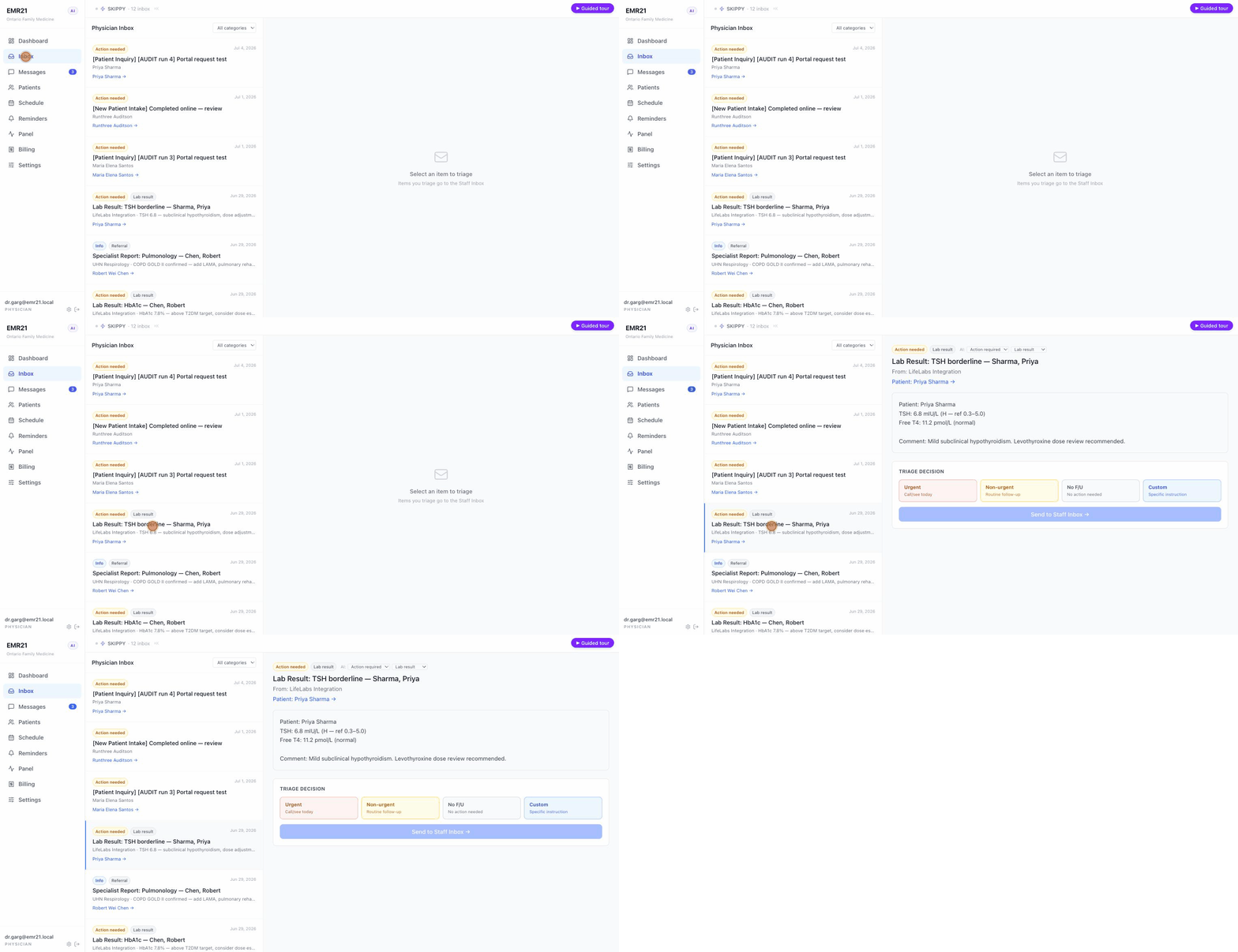
Results and correspondence arrive already sorted by urgency and category. The manual inbox is always one click away.
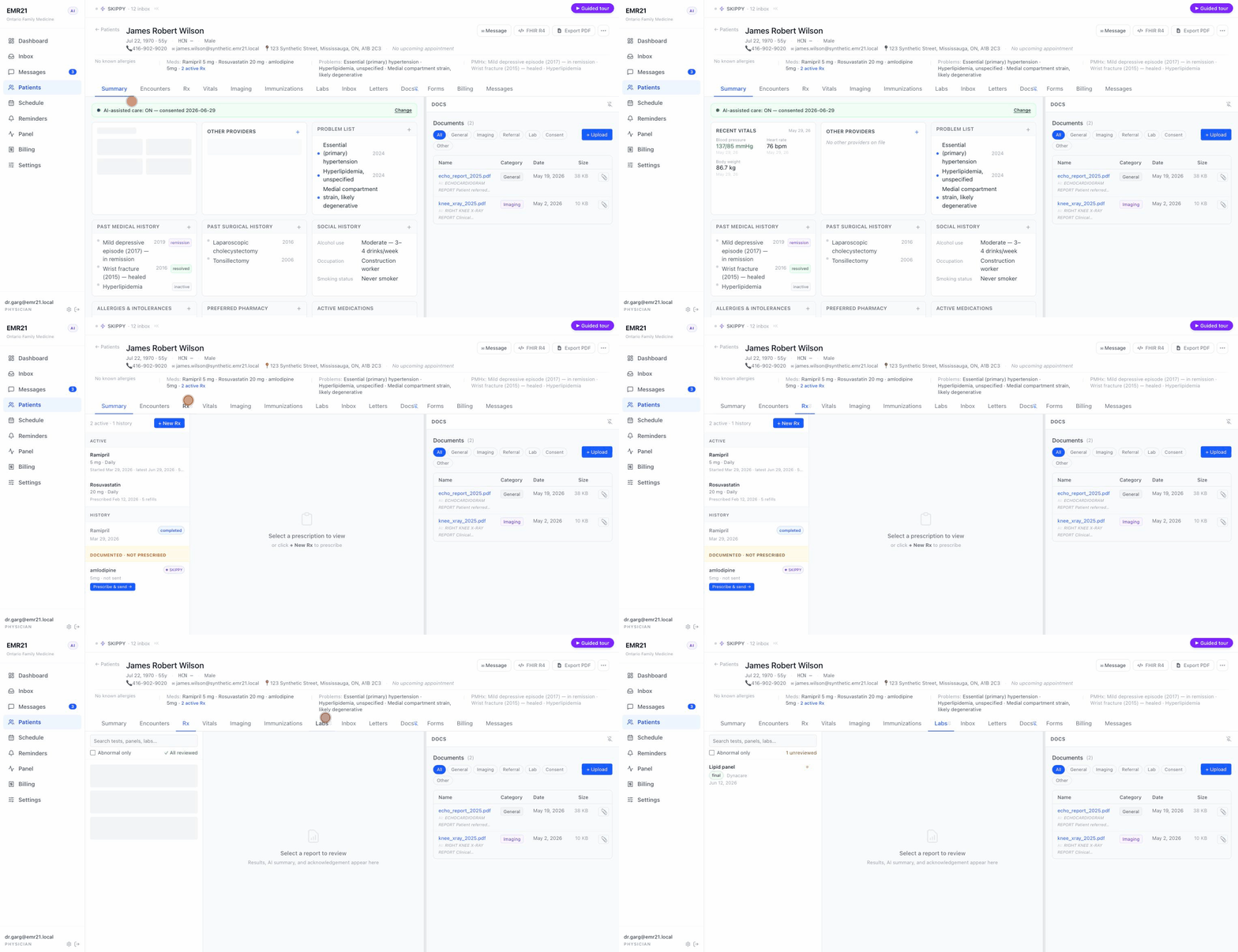
Tabbed chart with persistent clinical banner: Summary/CPP, notes, Rx, labs, vitals, imaging, forms, billing — one surface for everything about the patient.
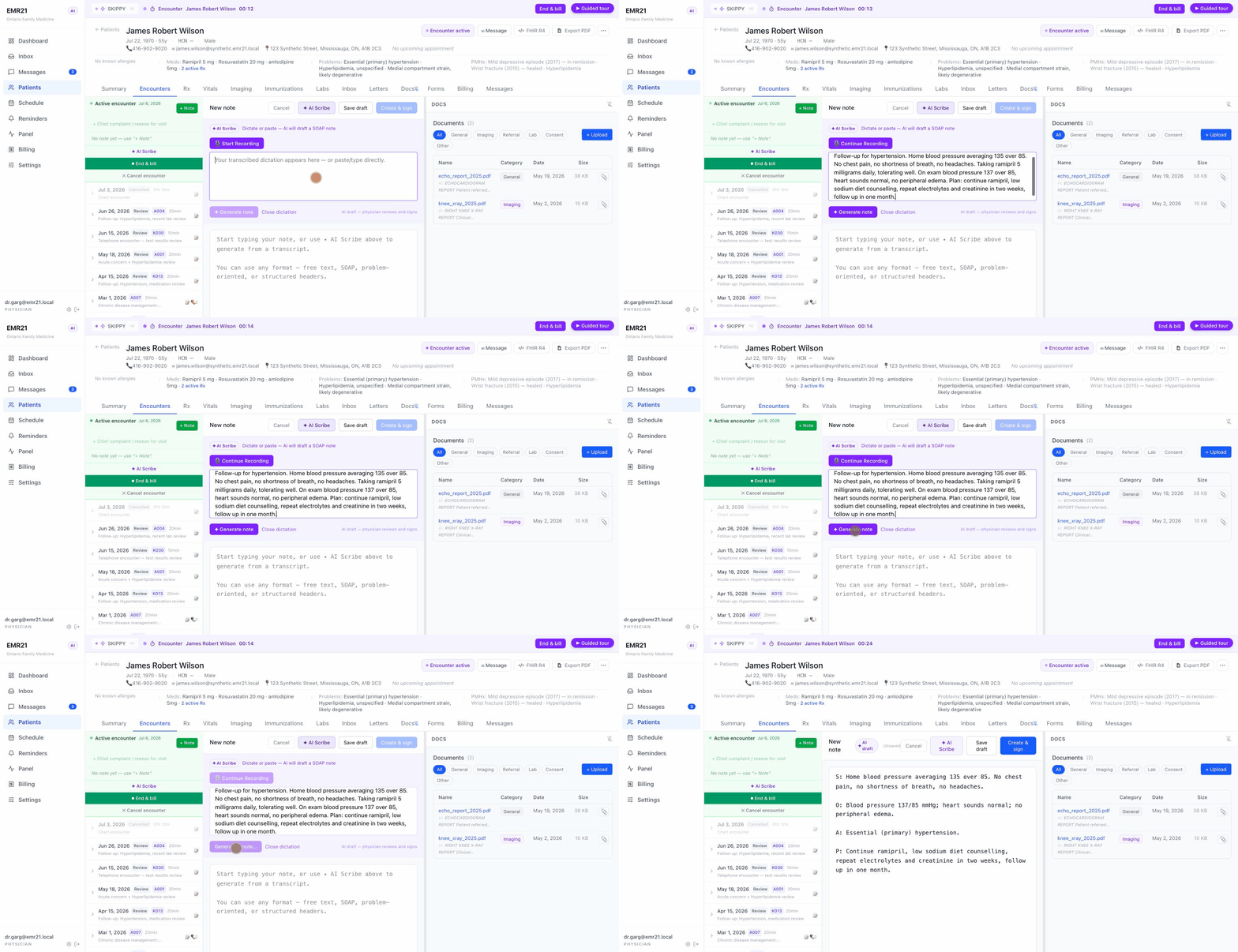
Dictate; a structured SOAP note appears. The audio never leaves the machine it was recorded on.
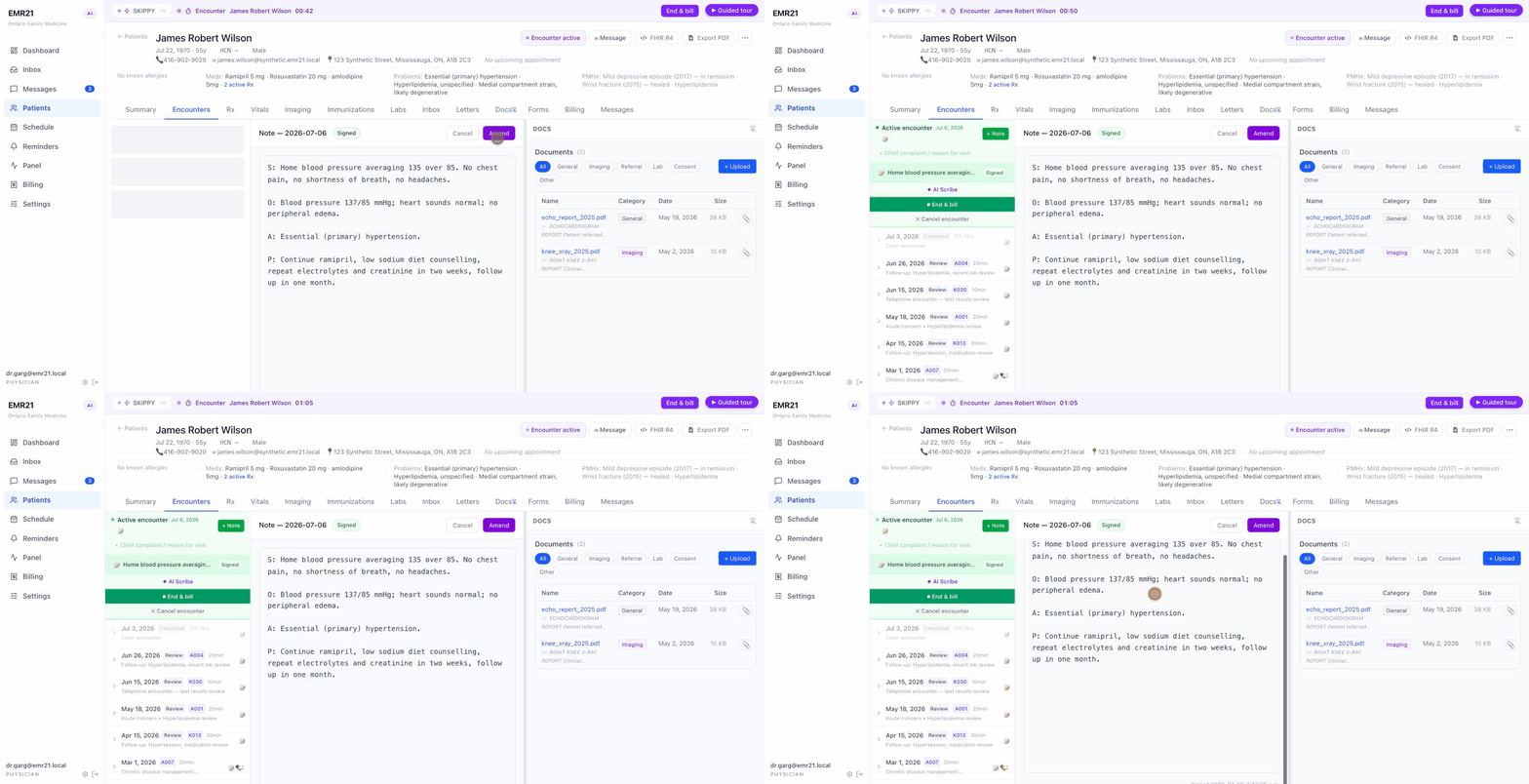
Signed notes are snapshotted and locked — corrections are amendments, not edits. Medico-legally correct by construction.
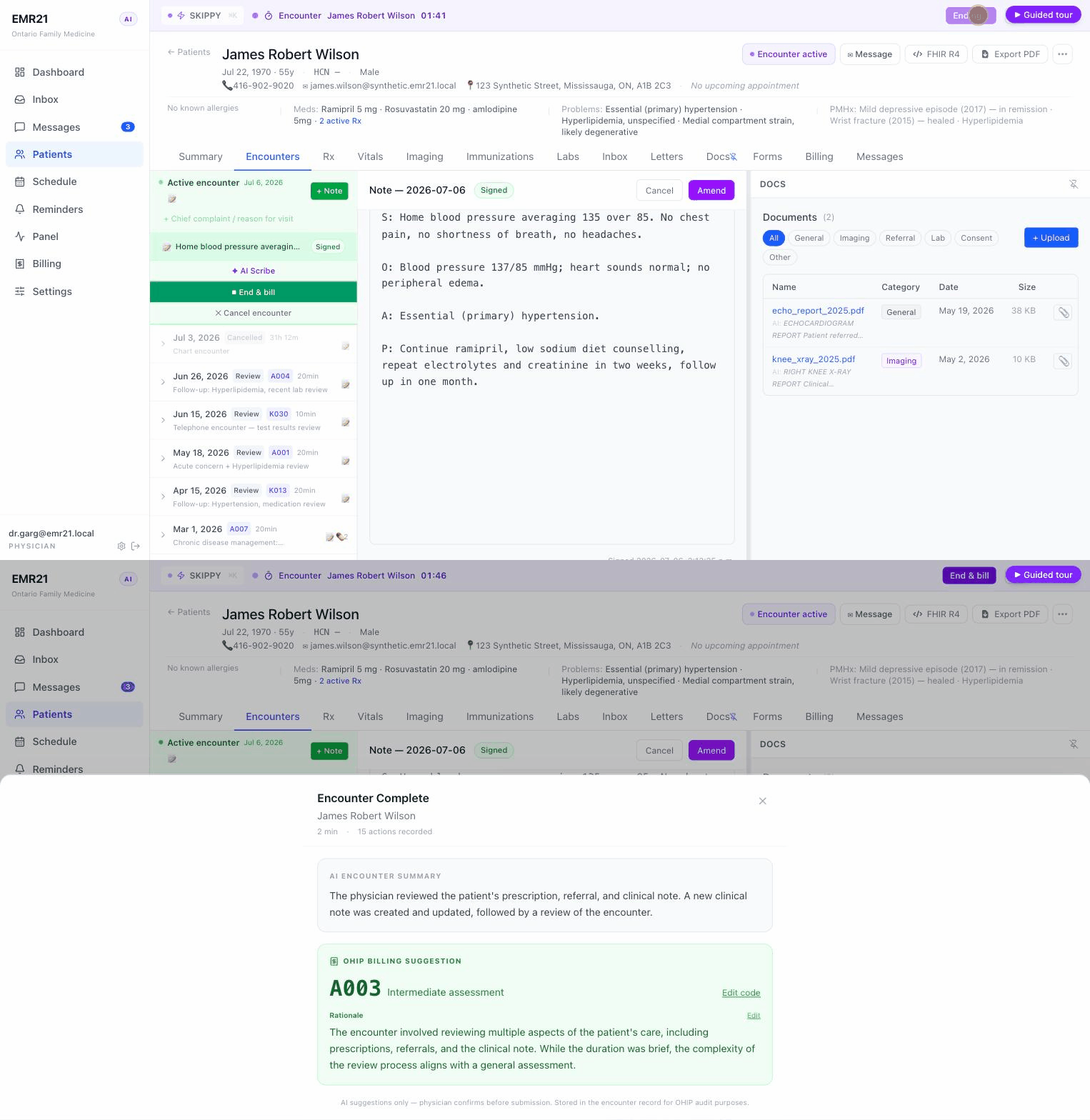
End the encounter and the local assistant proposes the OHIP code with a rationale. It suggests; the clinician decides.
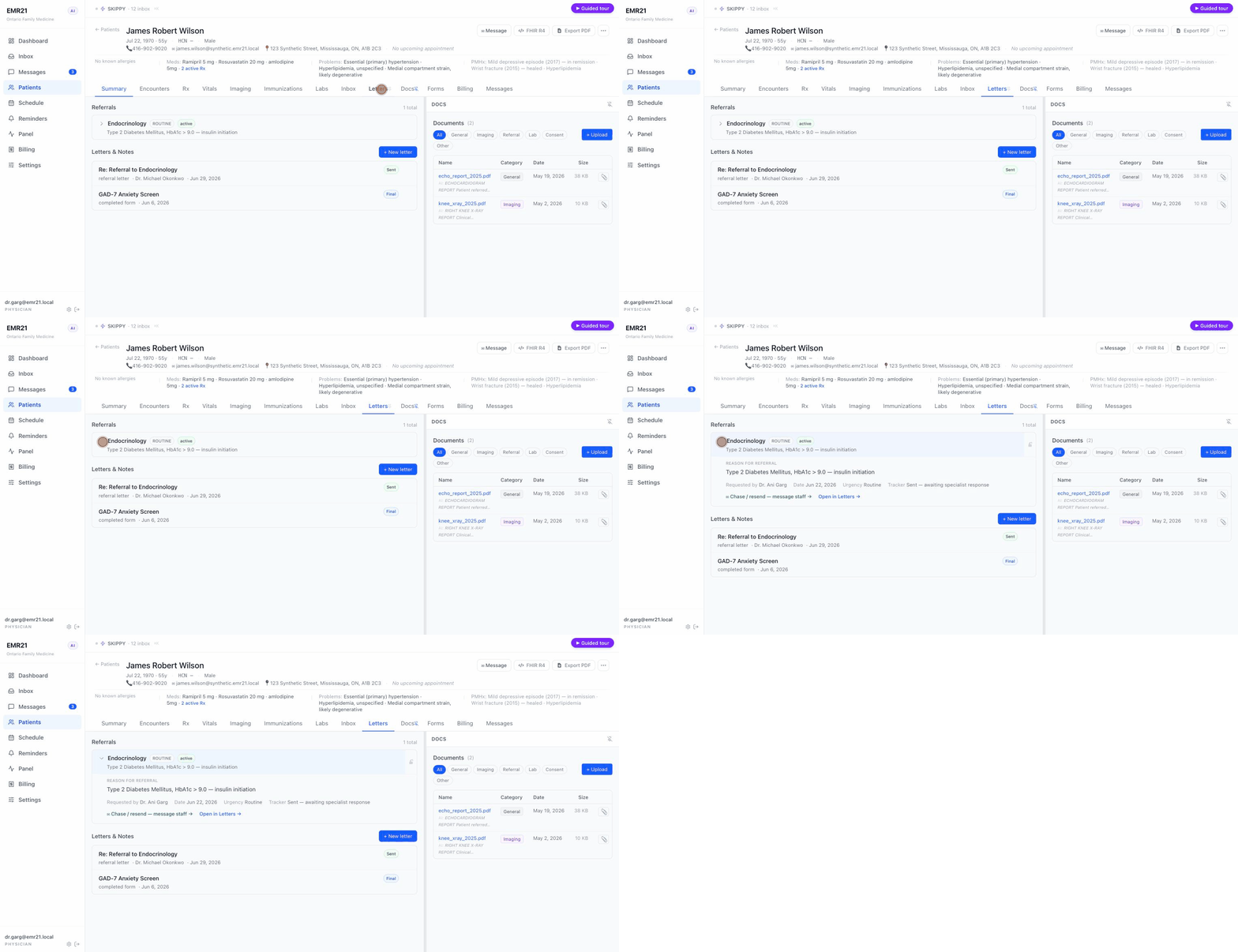
The full referral lifecycle, with a directory and a built-in "chase" step, so nothing gets sent and then forgotten.
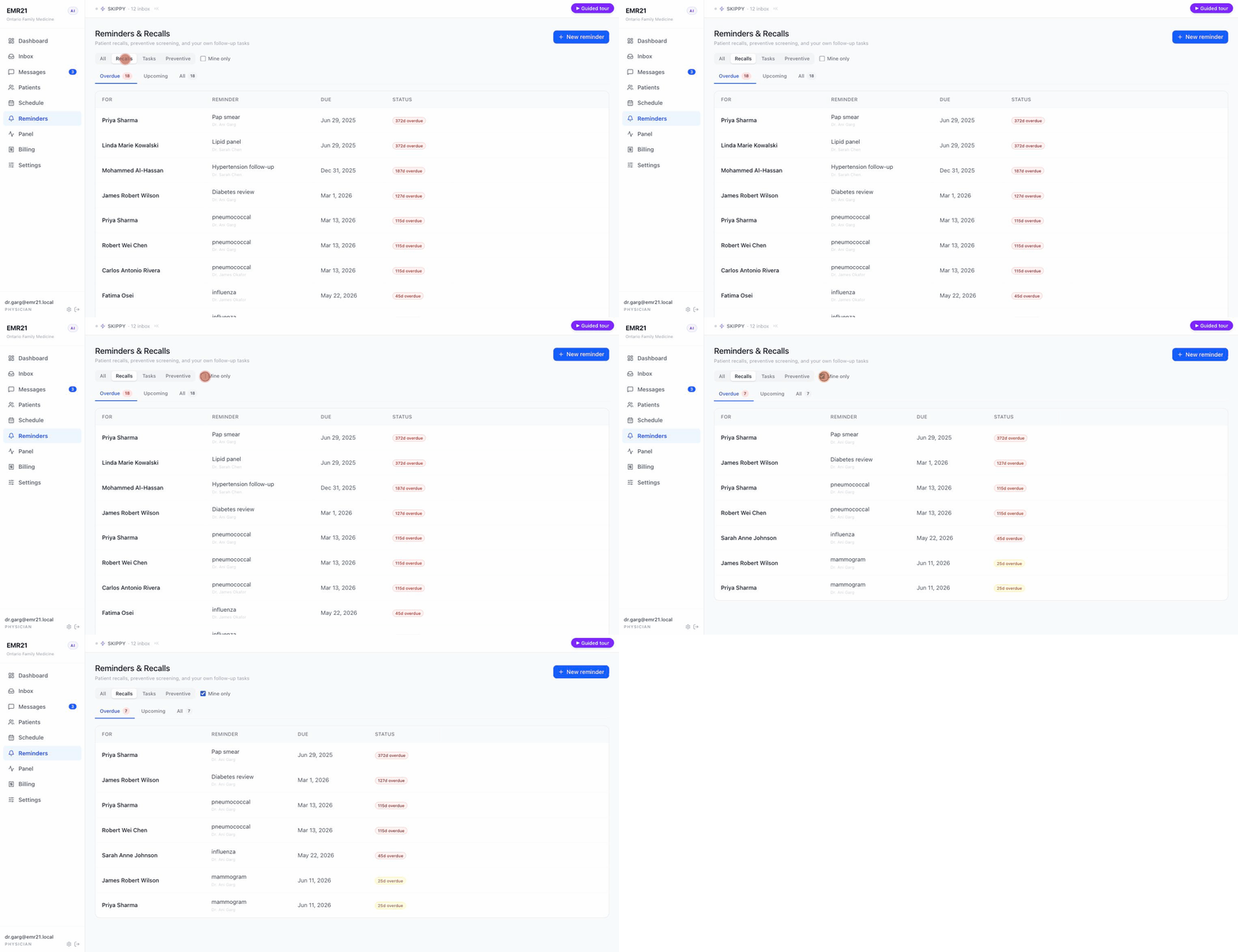
One unified worklist: preventive recalls, free-form tasks, recurrence, per-provider ownership, "mine only" view.
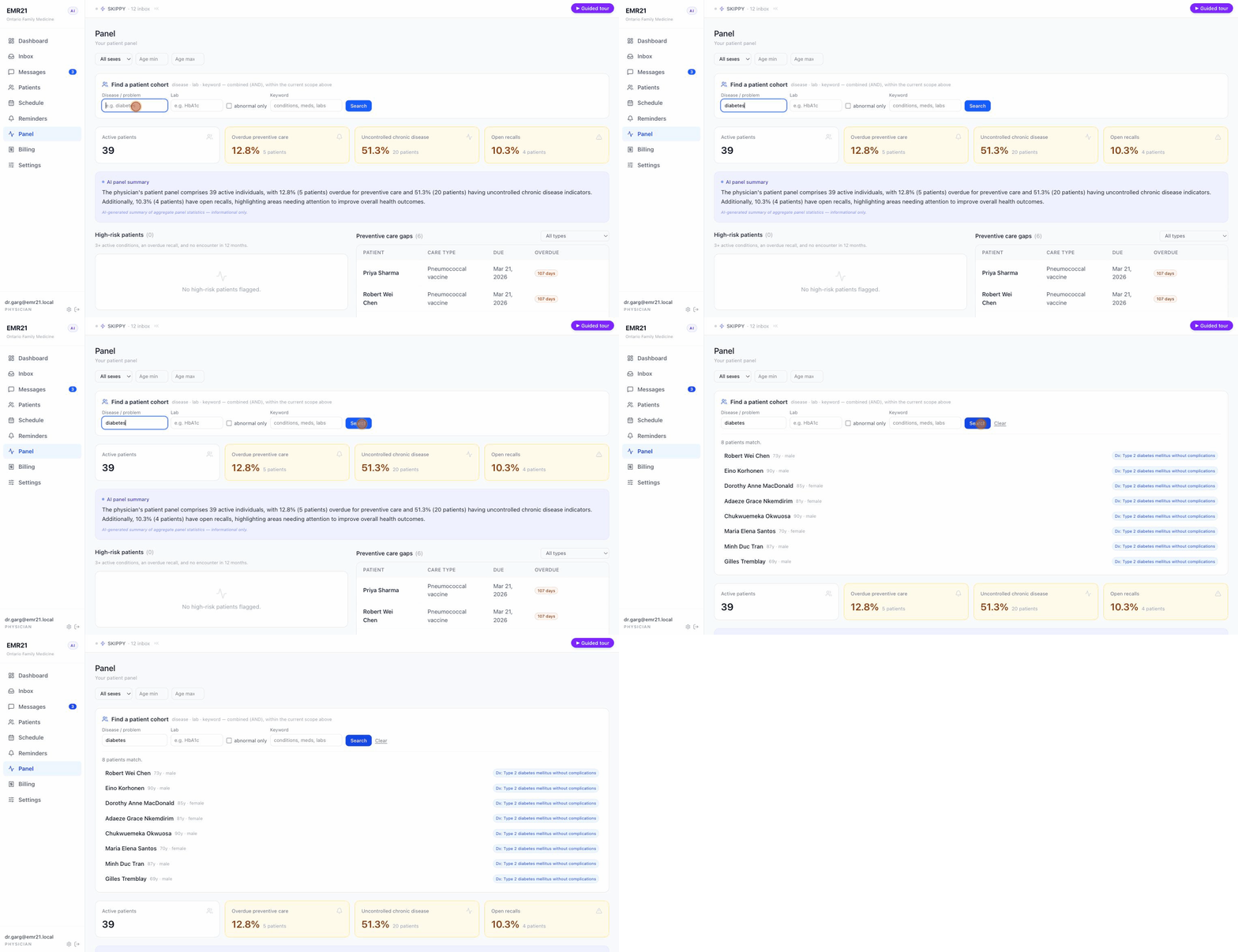
Practice-wide and per-provider stats, care gaps, high-risk lists — and a cohort builder that finds patients by disease, lab, or keyword.
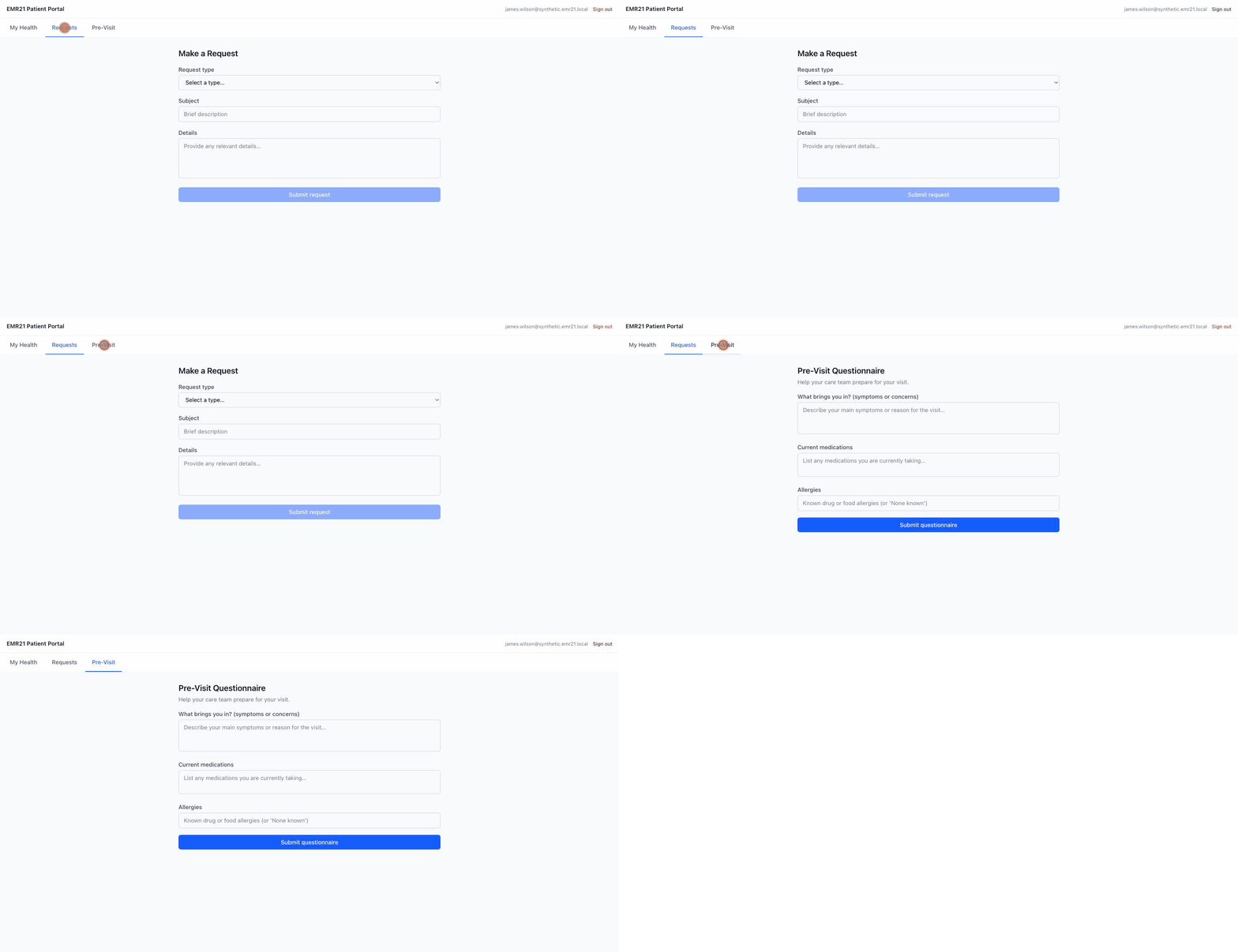
Patients book, self-triage, and submit intake (including electronic AI consent) — and it lands in the physician's inbox pre-sorted.
The build
One practising family physician designed and directed the whole thing, using AI coding tools under close supervision, and logged every architectural decision along the way.
EMR21 is a proof that this is feasible, not a finished, certified product. It runs a whole clinic day, but only on synthetic data — no real patient information has ever gone near it. The technical safeguards are built in: role-based access on every endpoint, an append-only audit trail, encrypted identifiers, account lockout and a password policy.
What's left for certification is mostly organizational — a formal risk assessment, a security audit, connectivity onboarding — and that isn't something one person can or should finish alone. That's the conversation this is meant to start.
See for yourself
A few minutes in the live system will tell you more than any write-up. Pick a role and run through a clinic day.
Jump into the demo